

If you want to put a website online, one of the first questions you’ll face is simple but important: what is shared hosting, and is it right for you?
Shared hosting is the most common starting point for bloggers, freelancers, and small businesses launching their first site. It’s affordable, beginner friendly, and usually comes with all the tools you need to get online quickly. But like every hosting option, it has strengths and limitations you should understand before you commit — especially if you plan to grow.
This guide is written for:
- New website owners who don’t speak “server language.”
- Small businesses comparing shared hosting plans.
- Agencies or freelancers looking for reliable shared web hosting for multiple clients.
- Anyone considering AxSpace shared hosting and wanting a detailed explanation before buying.
We’ll walk through shared hosting pros and cons, the main advantages of shared hosting compared to VPS or dedicated servers, what features really matter, and when it’s time to upgrade. We’ll also give you an in-depth Overview of AxSpace Shared Hosting Plans so you can see how their Orbit, Meteor, Comet, Nebula, and Galaxy plans map to real-world needs.
Let’s start with the basics.
What Is Shared Hosting?
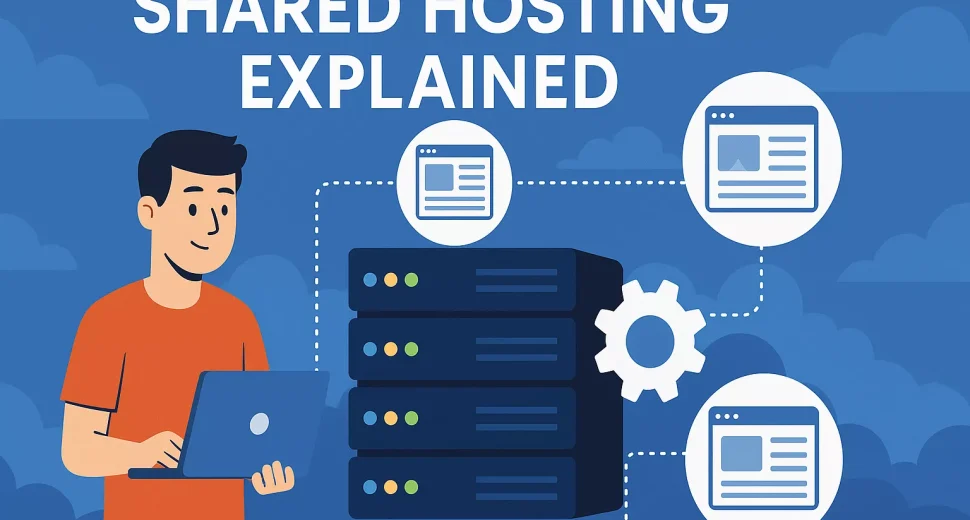
Shared hosting is a type of web hosting where multiple websites live on the same physical server and share its resources — CPU power, RAM, disk space, and bandwidth. Think of it like renting an apartment in a large building. You have your own private space (your hosting account), but you share the building’s infrastructure (electricity, water, elevator, security) with other tenants.
In practical terms, shared web hosting means:
- Your website’s files, database, and emails are stored alongside those of other customers on one server.
- The hosting provider manages the operating system, security patches, server monitoring, and hardware.
- You manage your website through an easy control panel (such as cPanel or DirectAdmin) without needing deep technical knowledge.
Because the costs of running the server are split between many customers, shared hosting is usually the most budget-friendly option. That’s why it’s often described as entry-level hosting.
How Shared Hosting Works (Without the Jargon)
Let’s keep this simple and practical.
When someone visits your domain (for example, yourbrand.com):
- Their browser contacts the DNS system to find which server hosts your website.
- The request reaches a shared server in the hosting provider’s data center.
- The server looks up your account and sends back your website’s files and database content.
- The visitor sees your page loaded in their browser.
Behind the scenes, that same server is also doing this for many other websites hosted on the same machine. To keep everything fair and stable, the hosting provider sets limits per account (for things like CPU seconds, memory usage, or number of concurrent processes). This prevents one “noisy neighbor” from consuming all the resources.
With AxSpace shared hosting, for example, the provider takes care of:
- Server setup and configuration.
- Security hardening and DDoS protection.
- Regular weekly full backups and daily database backups.
- Automatic SSL certificates so your site loads over HTTPS.
- Easy installers for hundreds of web apps via Softaculous.
You don’t need to log into the server via SSH or manage complicated commands (unless you choose a higher-tier plan that gives you that power). You focus on your content, SEO, and customers; the hosting provider keeps the engine running.
Who Is Shared Hosting Best For?
Because of its low cost and simplicity, shared web hosting is ideal for:
- Bloggers and personal sites – Lifestyle blogs, travel journals, portfolios, and hobby projects usually start with modest traffic and resource usage.
- Freelancers and small agencies – Designers, developers, and marketers who manage a handful of client sites can often host them efficiently on higher-tier shared hosting plans.
- Small businesses – Local shops, cafes, clinics, law firms, and service providers who need a professional website, a few email accounts, and occasional blog posts.
- Landing pages and MVPs – If you’re validating a new idea or testing a marketing funnel, shared hosting is usually more than enough at the beginning.
- Smaller e-commerce stores – Early-stage online shops with a limited catalog and moderate traffic can run comfortably on a well-configured shared environment.
In most real-world cases, people outgrow shared hosting not because it’s “bad,” but because their project becomes successful and starts attracting more visitors or needing custom server settings. When that happens, upgrading to VPS or cloud hosting becomes the natural next step.
Shared Hosting Pros and Cons
Before choosing any plan, it’s vital to understand the shared hosting pros and cons. Let’s break them down clearly.
Advantages of Shared Hosting
- Very affordable: Because many customers share the same server, the provider can keep prices low. This is one of the biggest advantages of shared hosting — you get serious infrastructure for a fraction of the cost of a VPS or dedicated server.
- Beginner-friendly: Shared hosting is designed for people who don’t want to manage servers. A visual control panel, one-click installers, and guided setup wizards make it easy to launch a website in minutes.
- Low maintenance: The hosting company handles hardware, operating system updates, security patches, and monitoring. You don’t need to be a sysadmin.
- Bundled features: Many shared hosting plans include email hosting, SSL certificates, backup tools, and app installers at no extra cost.
- Scalable upgrades: Good providers let you upgrade between shared hosting plans or move to VPS/cloud without migrating to a completely new platform.
- Works for most “normal” websites: Corporate sites, blogs, portfolios, and small online stores rarely need the power of a dedicated server.
Drawbacks and Limitations
Shared hosting isn’t perfect. Here are the main disadvantages you should be aware of:
- Shared resources: Your website shares CPU, RAM, and I/O with others. If another account suddenly consumes a lot of resources (for example, after a viral post), it can temporarily affect performance for others on the same server — unless the host has strong isolation and limits in place.
- Less control: You usually don’t get full root access to the server. Advanced customizations, unusual software, or special modules might not be possible.
- Potential performance ceilings: If your site grows to hundreds of thousands of visits per month, a basic shared plan will eventually become a bottleneck.
- Security is shared responsibility: A well-managed provider isolates accounts and hardens the server, but poor code, weak passwords, or outdated plugins on any site can still increase risk. You must keep your CMS and extensions up to date.
- Limited background processes: Long-running scripts, heavy cron jobs, or resource-intensive applications are often restricted on shared servers.
For most small to mid-sized projects, these trade-offs are reasonable — especially when you choose a provider that invests in security, monitoring, and resource isolation, as AxSpace does.
Advantages of Shared Hosting vs Other Hosting Types
To really understand whether shared hosting fits your needs, it helps to compare it with other common hosting types: VPS, cloud hosting, and dedicated servers.
Shared Hosting vs VPS Hosting
A VPS (Virtual Private Server) gives you a dedicated slice of a server’s resources (CPU, RAM, storage) and usually root access. It sits between shared hosting and dedicated servers in terms of power and price.
Shared hosting advantages over VPS:
- Much lower cost at entry level.
- No need to manage the operating system or network stack.
- Simpler interface; no deep Linux knowledge required.
- Easier to set up for a single website or a small handful of sites.
When VPS wins: If you need special software, high concurrency, or guaranteed resources, VPS hosting is a better fit. If you’re thinking about this step, you’ll eventually want to learn more about VPS hosting and compare resource allocations and management options.
Shared Hosting vs Cloud Hosting
Cloud hosting typically uses a cluster of servers to provide redundancy and scalability. If one node fails, another takes over.
Shared hosting advantages over cloud hosting:
- Cheaper for low to moderate traffic websites.
- Easier pricing: fixed monthly plans instead of pay-as-you-go complexity.
- Simpler management; you don’t need to understand cloud platforms or orchestration.
Cloud hosting advantages: Better resilience, easier horizontal scaling, and potentially higher reliability for mission-critical or high-traffic applications. Medium to large e-commerce sites often migrate to cloud solutions.
Shared Hosting vs Dedicated Servers
With a dedicated server, you rent or own an entire physical machine. All resources are yours, and you have complete control.
Shared hosting advantages over dedicated:
- Massively lower cost — often 10x cheaper or more.
- No hardware management or complex configuration.
- Ideal for non-technical users and smaller teams.
Dedicated advantages: Raw power, deep customization, and full isolation. However, it’s overkill for 95% of new websites and requires either an in-house admin or a managed service add-on.
In short: if you’re launching, testing, or running “normal” websites, the advantages of shared hosting usually outweigh its downsides. When you consistently hit its limits, that’s your signal to upgrade.
Key Features to Look For in a Shared Hosting Provider
Not all shared hosting plans are created equal. When comparing providers, pay close attention to these areas:
- Performance and resource allocation: Look for solid hardware, fair use policies, and clear limits. Some providers oversell servers heavily; others, like AxSpace, focus on stability and resource protection.
- Uptime guarantees: Aim for at least 99.9% uptime, backed by monitoring and a clear SLA.
- Security features: Firewalls, malware scanning, DDoS protection, free SSL, and regular security updates help keep your site safe.
- Backups: Automated backups (weekly full backups and daily database backups, for example) are essential. Manual backups alone are not enough.
- Control panel usability: A familiar interface such as cPanel or DirectAdmin makes it easier to manage email, domains, files, and databases.
- One-click installers: Tools such as Softaculous speed up the installation of WordPress, WooCommerce, Joomla, and hundreds of other apps.
- Support quality: 24/7 support via chat, ticket, or phone can save you hours when issues arise. Response times and expertise matter more than flashy marketing.
- Scalability: Your provider should make it easy to upgrade to larger shared plans or move to VPS/cloud when you grow.
Check the fine print, too. Some “unlimited” offers hide strict CPU or I/O limitations, while others exclude email or backups from their cheapest tiers.
Security, Performance, and Uptime Considerations
When people talk about hosting, they often focus on price and storage. But in practice, security, performance, and uptime are what keep your website — and your reputation — alive.
Security on Shared Hosting
On shared servers, security is a shared responsibility:
- The hosting provider must isolate accounts, patch servers, monitor for attacks, and provide tools like SSL and firewalls.
- You must keep your CMS and plugins updated, use strong passwords, configure backups, and avoid risky themes or extensions.
AxSpace shared hosting includes practical security measures such as automated SSL certificates, Anti-DDoS protection, malware scanning, and regular backups. This doesn’t mean you can ignore security, but it does give you a strong baseline.
Performance and Speed
Website speed affects user experience, SEO rankings, and conversion rates. On shared hosting, performance depends on:
- The underlying hardware and server configuration.
- How many accounts the provider places on each server.
- How efficiently your own site is built (image optimization, caching, code quality).
Even on shared hosting, you can achieve excellent speed with:
- Caching plugins for WordPress or your CMS.
- Optimized images and a content delivery network (CDN) for global audiences.
- A lightweight theme and minimal unnecessary plugins.
Uptime
Uptime is simply the percentage of time your site is accessible. Good shared hosting providers maintain uptime at or above 99.9%, using monitoring, redundancy, and proactive support. If your site is frequently down, it doesn’t matter how cheap the plan is — you’re losing visitors, leads, and sales.
Pricing and Value for Money
Shared hosting plans are marketed heavily on price. It’s tempting to sort by “cheapest” and pick whatever costs the least, but that approach often leads to frustration later.
When evaluating value for money, consider:
- What’s included: Do you get free SSL, backups, email accounts, and a website builder, or are they add-ons?
- Renewal pricing: Some hosts advertise ultra-low first-year pricing but double or triple the cost on renewal.
- Support: Saving a few dollars isn’t worth it if you can’t get help when something breaks.
- Upgrade path: Can you move to a higher plan without downtime? Is there a clear way to transition to VPS or cloud when the time comes?
AxSpace positions its shared hosting plans across a range of use cases — from a single basic site to agencies hosting dozens of domains — while keeping essential features such as SSL, backups, and app installers included across the board. You choose the tier that fits your current needs and upgrade when your traffic and projects justify it.
Common Mistakes People Make When Choosing Shared Hosting
Choosing the wrong shared hosting plan is easy if you’re new to the game. Here are the mistakes to avoid:
- Only looking at storage and bandwidth: 100 GB of space doesn’t help if the server is overloaded or the support is slow.
- Ignoring backups: Many new users assume backups “just happen.” Always confirm the backup frequency and how to restore.
- Not checking limitations: Some entry-level plans limit the number of databases, email accounts, or domains you can host.
- Over- or under-buying: Paying for a huge plan for a tiny site is wasted money; buying the absolute cheapest plan for a busy store can cause performance headaches.
- Skipping security basics: Weak passwords, outdated plugins, and pirated themes are common causes of hacked sites, regardless of host.
- Choosing a host without a growth path: If there’s no simple upgrade route to higher-tier plans or VPS, you may face a painful migration later.
When to Upgrade From Shared Hosting
Shared hosting can comfortably support you for years, but there are clear signs you’re outgrowing it:
- Your site loads slowly even after basic optimization.
- You see frequent resource limit warnings from your host (CPU, memory, or I/O).
- You’re running complex applications that need custom server modules or configurations.
- Your store or app handles sensitive data and you want stricter isolation.
- Your traffic consistently reaches tens or hundreds of thousands of monthly visits.
At that stage, upgrading to a higher AxSpace plan (for more resources) or transitioning to VPS/cloud hosting is usually straightforward. The goal is to grow into a new tier, not jump there from day one when you don’t yet need the power.
Overview of AxSpace Shared Hosting Plans
AxSpace has restructured its shared hosting portfolio into a clear, easy-to-understand lineup designed around real-world needs. Rather than confusing you with dozens of tiny variations, there are five core plans — Orbit, Meteor, Comet, Nebula, and Galaxy — each aimed at a specific type of user and project.
All AxSpace shared hosting plans include essentials such as:
- User-friendly control panel (DirectAdmin with AxSpace’s configuration).
- Free SSL certificates for secure HTTPS on your domains.
- Weekly full backups and daily database backups.
- Softaculous auto-installer with hundreds of web applications.
- Anti-DDoS protection and malware scanning.
- 24/7 expert support with under-2-hour emergency response for critical issues.
What changes from plan to plan is mainly the amount of resources and the number of domains and sites you can host.
Orbit – Entry-Level Hosting for a Single Website
Best for: Personal blogs, simple company websites, landing pages, and early-stage projects that only need one domain.
The Orbit plan is AxSpace’s entry-level shared web hosting tier. It’s built for people who want:
- To host one main website with a professional domain.
- Enough storage and bandwidth for a typical small business site or blog.
- Essential email accounts and databases without overpaying for features they don’t use.
If you’re just launching your online presence — maybe putting your local business on the map or starting a personal portfolio — Orbit gives you everything you need to get online safely and quickly, without complexity or unnecessary cost.
Meteor – For Growing Projects and Side Hustles
Best for: Freelancers, creators, and small online businesses that run more than one site or expect modest but steady growth.
Meteor steps up from Orbit by offering more generous resources and support for additional domains. It’s well-suited if you:
- Run a main website plus one or more side projects.
- Expect more content (blogs, images, video embeds) and increasing visitors over time.
- Want more headroom for experimentation — landing pages, microsites, or test installs.
With Meteor, you get the same core AxSpace features (SSL, backups, Softaculous, security) but with more room to grow before you ever need to think about VPS hosting.
Comet – The Sweet Spot for Serious Small Businesses
Best for: Established small businesses, content-heavy sites, and small agencies hosting a few client projects.
Comet sits in the middle of the lineup and is often the best value for serious long-term projects. It’s designed for situations where you need:
- Multiple websites for a brand (main domain, blog, landing pages, documentation, etc.).
- More email accounts for your team.
- Higher resource limits to ensure consistent performance as traffic grows.
If your website is central to your business — for example, a small online store, a course platform, or a content site that’s steadily attracting visitors — Comet is usually the most comfortable shared hosting plan to start with.
Nebula – High-Capacity Shared Hosting for Busy Sites
Best for: Heavier e-commerce stores, busier content sites, and freelancers or agencies hosting multiple active clients.
Nebula adds another layer of capacity and flexibility. Compared to Comet, you typically get:
- Higher limits on domains, email accounts, and databases.
- More generous CPU and memory allocations to handle traffic spikes.
- Additional tools and options that are useful when managing many sites on one account.
This plan fits businesses that have moved past the “experimenting” stage and are now generating consistent traffic, leads, and revenue from their websites. Nebula keeps you on a cost-effective shared hosting platform while giving you breathing room before a possible move to VPS or cloud hosting.
Galaxy – Shared Hosting for Power Users and Agencies
Best for: Digital agencies, developers, resellers, and power users hosting many domains and projects under one roof.
Galaxy is the top tier in the AxSpace shared hosting lineup. It’s built for people who manage lots of websites — whether they’re client projects, micro-sites for campaigns, or a portfolio of online businesses.
Typical Galaxy users:
- Need to host a large number of domains on a single account.
- Require extensive email and FTP accounts for teams and clients.
- Benefit from higher resource allowances and priority support.
With Galaxy, you stay within the simplicity of shared hosting (no server administration necessary) but gain enough capacity to power a serious, multi-site operation. It’s a strong fit for agencies that want predictable, shared hosting costs while still offering reliable performance to their clients.
Why Choose AxSpace for Shared Hosting?
Many providers offer shared hosting, so why might AxSpace be a better fit for you than the average competitor?
- Security-first mindset: Free SSL, Anti-DDoS protection, malware scanning, and a hardened environment are included across plans. You don’t have to assemble your own security stack from scratch.
- Serious backup strategy: Weekly full backups and daily database backups mean you have multiple restore points if something goes wrong — whether that’s a hacked plugin, a bad update, or a user mistake.
- Beginner-friendly tools: A drag-and-drop website builder plus Softaculous app installer let you create either a custom design or a CMS-powered site in just a few clicks.
- 24/7 support with fast emergency response: AxSpace’s support team is available around the clock, and emergency tickets are prioritized with a target response within a couple of hours. That’s comforting when your business depends on uptime.
- Clear upgrade path: You can move from Orbit up through Meteor, Comet, Nebula, and Galaxy without changing providers or rebuilding your sites. When you ultimately outgrow shared hosting, AxSpace can help you transition to more advanced solutions.
- Flexible plan design: The range from Orbit to Galaxy mirrors typical growth stages — from first site to multi-client agency — so you don’t have to guess which abstract resource numbers you need. You pick the tier that matches your stage.
In other words, AxSpace is not just selling disk space; it’s offering a managed environment tailored to real-life website journeys.
Shared Hosting FAQs
To wrap up, let’s answer some of the most common questions people ask about shared web hosting and AxSpace’s plans.
Is shared hosting good for beginners?
Yes. In fact, shared hosting is usually the best starting point for beginners. It’s affordable, hides the complexity of server management, and provides easy tools for installing WordPress, setting up email, and managing domains. AxSpace’s Orbit and Meteor plans are particularly beginner-friendly.
Is shared hosting safe?
Shared hosting is safe when both the provider and the customer follow best practices. Providers should isolate accounts, patch servers, and include security tools like firewalls and SSL. Customers should use strong passwords, keep their CMS updated, and avoid insecure plugins. AxSpace shared hosting adds an extra safety layer with Anti-DDoS protection, free SSL, and regular backups.
Can I host multiple websites on shared hosting?
Yes, many shared hosting plans are designed for multiple websites. With AxSpace, higher-tier plans such as Meteor, Comet, Nebula, and especially Galaxy allow you to host several — or even many — domains under one account. Check each plan’s domain limit and choose the one that fits your current and future needs.
How many visitors can shared hosting handle?
There is no single universal number, because each provider and plan sets different resource limits. Well-optimized sites on solid shared hosting can comfortably handle thousands or tens of thousands of visits per month. As a rule of thumb, if your traffic grows to the point where you regularly hit resource limits or experience slowdowns, it’s time to upgrade to a stronger AxSpace tier or move to VPS/cloud hosting.
What is the difference between shared hosting and VPS hosting?
Shared hosting places many websites on a single server with shared resources and no root access. It’s cheaper and easier to manage. VPS hosting gives you a virtual server with dedicated resources and more control over the software and configuration. It’s more powerful but requires greater technical knowledge. Many AxSpace customers start on shared hosting (Orbit, Meteor, Comet, Nebula, Galaxy) and move to VPS when their projects demand more power.
When should I upgrade from shared hosting?
Consider upgrading when:
- Your site slows down during traffic peaks even after optimization.
- You consistently hit resource limits (CPU, RAM, or processes).
- You need specific server modules or advanced settings not available on shared hosting.
- Your business is at a stage where uptime and performance justify the higher cost of VPS or cloud hosting.
Before jumping to VPS, you might first move to a higher AxSpace plan like Nebula or Galaxy to gain more headroom while staying on shared hosting.
Does AxSpace offer free migration to shared hosting plans?
AxSpace provides free data transfer for new customers moving from another provider. You typically only need to share your previous control panel details or provide a backup; AxSpace support will handle the transfer and aim to keep downtime minimal or zero. This makes switching shared hosting providers much less stressful.
What support does AxSpace provide for shared hosting customers?
AxSpace offers 24/7 technical support through standard channels and a dedicated emergency support process for critical issues such as service unavailability. Emergency tickets are prioritized with a fast response target (under a couple of hours). Support covers typical shared hosting topics — domain and DNS configuration, email issues, basic website troubleshooting, and guidance on security and performance.
Can I run an online store on AxSpace shared hosting?
Yes. Many small and medium online stores run smoothly on shared hosting, especially on plans like Comet or Nebula. You can install WooCommerce, PrestaShop, or other e-commerce platforms with a one-click installer, secure the store via free SSL, and rely on AxSpace backups and security measures. If your store grows into a high-traffic operation, upgrading to Nebula, Galaxy, or eventually VPS hosting will be the natural next step.
Does shared hosting affect SEO?
Shared hosting by itself does not hurt SEO. Search engines care about site speed, uptime, security (HTTPS), and content quality. A reliable shared hosting provider like AxSpace can give you strong performance and uptime, free SSL, and the tools you need to optimize your site. Poor hosting — frequent downtime, very slow response times — can indirectly hurt rankings, but that’s due to quality, not the fact that it’s “shared.”
Conclusion: What Is Shared Hosting and Is AxSpace Right for You?
By now, you should have a clear answer to what is shared hosting and how it fits into the hosting landscape. It’s a cost-effective, beginner-friendly solution where multiple websites share a well-managed server, making it ideal for most blogs, portfolios, and small business sites.
We’ve explored the main shared hosting pros and cons, looked at the key advantages of shared hosting versus VPS, cloud, and dedicated servers, and outlined the features you should demand from any provider: security, backups, performance, and responsive support.
AxSpace’s modern shared hosting lineup — Orbit, Meteor, Comet, Nebula, and Galaxy — maps naturally to the stages of your online growth, from first website to multi-client agency. All plans include essentials like SSL, backups, and app installers, while higher tiers give you more domains, resources, and flexibility.
If you’re ready to launch or upgrade your website, choosing the right shared hosting plan today can save you time, money, and headaches tomorrow. Pick the AxSpace plan that matches your current needs, knowing you can always scale up as your audience and ambitions grow.
Next step: Review the AxSpace shared hosting plans in detail, choose the tier that suits your project — Orbit for a single site, Meteor or Comet for growing businesses, Nebula or Galaxy for power users — and take your website live with reliable, secure shared hosting.